Your wardrobe GPT is being retired: how to keep ChatGPT styling you from your own clothes
If you built a custom GPT to dress you, there is now a date on it. OpenAI is retiring custom GPTs, and they are scheduled to stop running on 11 December 2026.
It is a good moment to look at where your wardrobe has been living, because the record many people built sits inside a product that is now being retired, and for some that will be the second time.
The short version
GPTs are being replaced by plugins. If you built yours, you can migrate it, and your instructions and your uploaded files come across. If you have been using someone else's wardrobe GPT, you cannot migrate it and you are not guaranteed access to whatever replaces it. Either way, the only irreplaceable thing is your inventory file. Download it this week.
Then move the wardrobe somewhere the next retirement cannot reach it. Modebase holds your clothes as a wardrobe you own and export, and ChatGPT or Claude reads from it when you ask, so there is nothing to migrate and nothing to lose the next time a product line is retired. How to move yours across is below, and it is free to try.
What is actually happening
Straight from OpenAI's own FAQ, because there is a lot of secondhand summarising going around:
- 11 December 2026. Custom GPTs are scheduled to stop running and leave the GPT directory.
- Nothing has gone yet. Existing GPTs keep working until then.
- The replacement is a plugin. Your GPT's instructions become a skill inside it, and your uploaded knowledge files become its reference files.
- You probably cannot build a new one already. New GPT creation and publishing are switched off on personal accounts, Free, Go, Plus and Pro alike. Only Business, Enterprise and Edu workspaces can still create them, and that ends on 26 October 2026 in affected workspaces. Existing GPTs still work, and you can still edit one you made earlier.
The transition affects all plans, but migration arrives at different times for different accounts, and some Enterprise workspaces with an approved deferral run on to 11 February 2027. One more thing that does not come across: the model your GPT ran on is not carried into its replacement. Your in-product notice is the one that applies to you.
Three things that do not survive the move
These are the ones worth knowing before you assume it will all be fine.
Your conversations do not move. Every chat you had with your stylist GPT stays with the old GPT. If you have been correcting it for a year, and those corrections live in the conversations rather than in the instructions file, that learning does not come with you.
Custom actions do not transfer. If your GPT reached out to another service, that connection breaks and has to be rebuilt. OpenAI's own wording is that rebuilding may require a custom MCP server and technical setup.
Sharing does not carry over. A migrated plugin starts private. If you shared your wardrobe GPT with friends, they do not automatically get the replacement.
One more, easy to miss: once you migrate, the original GPT becomes read-only and you cannot delete it. So finish any edits first.
How to move your wardrobe into Modebase
The retirement notice tells you how to migrate a GPT. It does not tell you where to put the wardrobe so you are not doing this again in a year. That part is about ten minutes, and most of it is one download and one upload.
- Download your inventory file from the old GPT. Open the GPT's configuration and save the knowledge file you uploaded, the spreadsheet or list of your clothes, onto your own computer. This is the same file from the step above; keep it, because it is the thing you are actually moving.
- Connect Modebase to your assistant. In ChatGPT on the web, on Plus or Pro, open Settings, then Plugins, search for Modebase and add it. In Claude, add it as a custom connector under Settings, then Connectors. About a minute; the full walkthrough is on the connect page.
- Upload the file into Modebase. In your Modebase catalogue, tap +, then Import from a file, and drop in the CSV, spreadsheet or PDF you just downloaded. Modebase reads the columns, shows you the mapping so you can correct it, and turns each row into a real piece, with its brand, colour, fabric and your notes carried over.
No clean file, or you only ever had photos? Skip the upload. Photograph your clothes, a pile on the bed or a full rail, or drop the photos straight into the chat, and Modebase pulls out each piece and files it with its own cut-out image. Cut-outs your old GPT already made can go straight in at modebase.co/import. Either way there is no list to retype and no file to keep under a size limit.
From then on your clothes live in a wardrobe you own, and the assistant reads from it when you ask. When the next product line changes its mind, the wardrobe stays exactly where it is.
If you have been using somebody else's wardrobe GPT
This is the group with the real problem, and there are a lot of you, because the good wardrobe GPTs were shared around.
You cannot migrate a GPT you did not build. Permission to use it is not permission to move it. Whether a replacement exists at all is up to whoever made it, and access to the original does not give you access to the new one.
So if your styling depends on someone else's GPT, your honest position is that you are waiting on a stranger to do some admin before December. Check the notice on the GPT, and look for a word from its creator. If there is nothing, start planning now rather than in the last week.
And building your own instead is not the fallback it would have been a few months ago, because on a personal account you can no longer create one at all. Whatever you move to, it will not be another GPT.
What to do this week, in twenty minutes
Regardless of which group you are in, and regardless of what you do next.
- Download your inventory file. This is the only part nobody can rebuild for you. It is the evening, or the six evenings, you spent listing what you own. Get it onto your own computer today, not in December.
- Copy the instructions out. Open the GPT's configuration and paste the whole thing into a document. Your style rules, your no-go list, the tone you liked. That is a year of refinement and it is one page of text.
- Rescue what it learned from your chats. The instructions file is only half of it: a lot of what your GPT knows lives in the conversations, and those do not migrate. While it still runs, ask it to write out everything it has learned about your style, every rule and correction, as one list, and save that too. (You can export every conversation under Settings, then Data controls, then Export data, but the distilled list is the useful part.)
- Save five prompts you actually use. You will need them to test whether the replacement is any good, and you will not remember them under pressure.
- Write down whether you built it or borrowed it. It decides everything about what happens next.
- If you built it, migrate early and test properly. Compare the same prompts. OpenAI is upfront that a migrated plugin may respond differently.
The thing worth noticing
A wardrobe GPT is an impressive piece of work. Arielle Caron's is the best documented one, with photographs turned into descriptions, descriptions compressed into one-line entries, item codes, a separate inventory file, and a trick with her dog's name at the bottom of the file to detect when it was being silently truncated. It worked. She cleared fifty bags of clothes out of her house.
And now there is a date on it.
This is the second time this has happened to people's wardrobes in a few years. Closet apps shut down and took the catalogues with them, which we wrote about in your digital wardrobe app shut down, now what. Now the clever workaround people built when the apps disappointed them has a retirement date too.
The pattern is the same both times, and it is not really about OpenAI. Your clothes were never in the GPT. They were in a file, inside a product, owned by somebody else, and the file only worked in the one place. When that place changes its mind, the wardrobe goes with it.
Where a wardrobe should live instead
The fix is not a better GPT. It is keeping the wardrobe somewhere that does not belong to whichever assistant is fashionable this year.
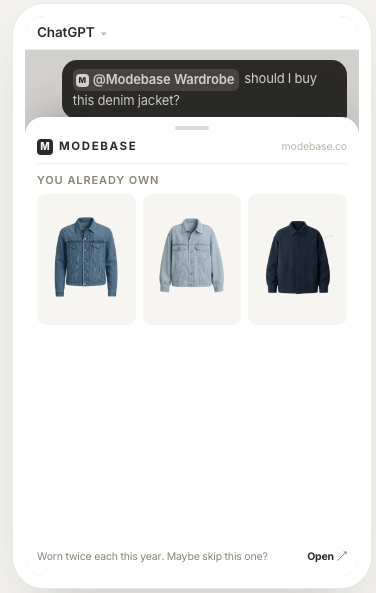
That is what Modebase is. Your clothes live in a wardrobe you own, and ChatGPT or Claude reads from it when you ask. Nothing is pasted, nothing is uploaded, so nothing expires when a product line does.
You can take it with you. Every piece exports as a CSV or a spreadsheet, thirty-seven columns per garment, and that includes the things you told it rather than just the label: the fit, what it pairs well with, what to avoid it with, how it makes you feel, when you reach for it. Every cut-out image downloads as a zip alongside it. If we disappoint you, or disappear, you leave with the catalogue rather than the memory of having made one.
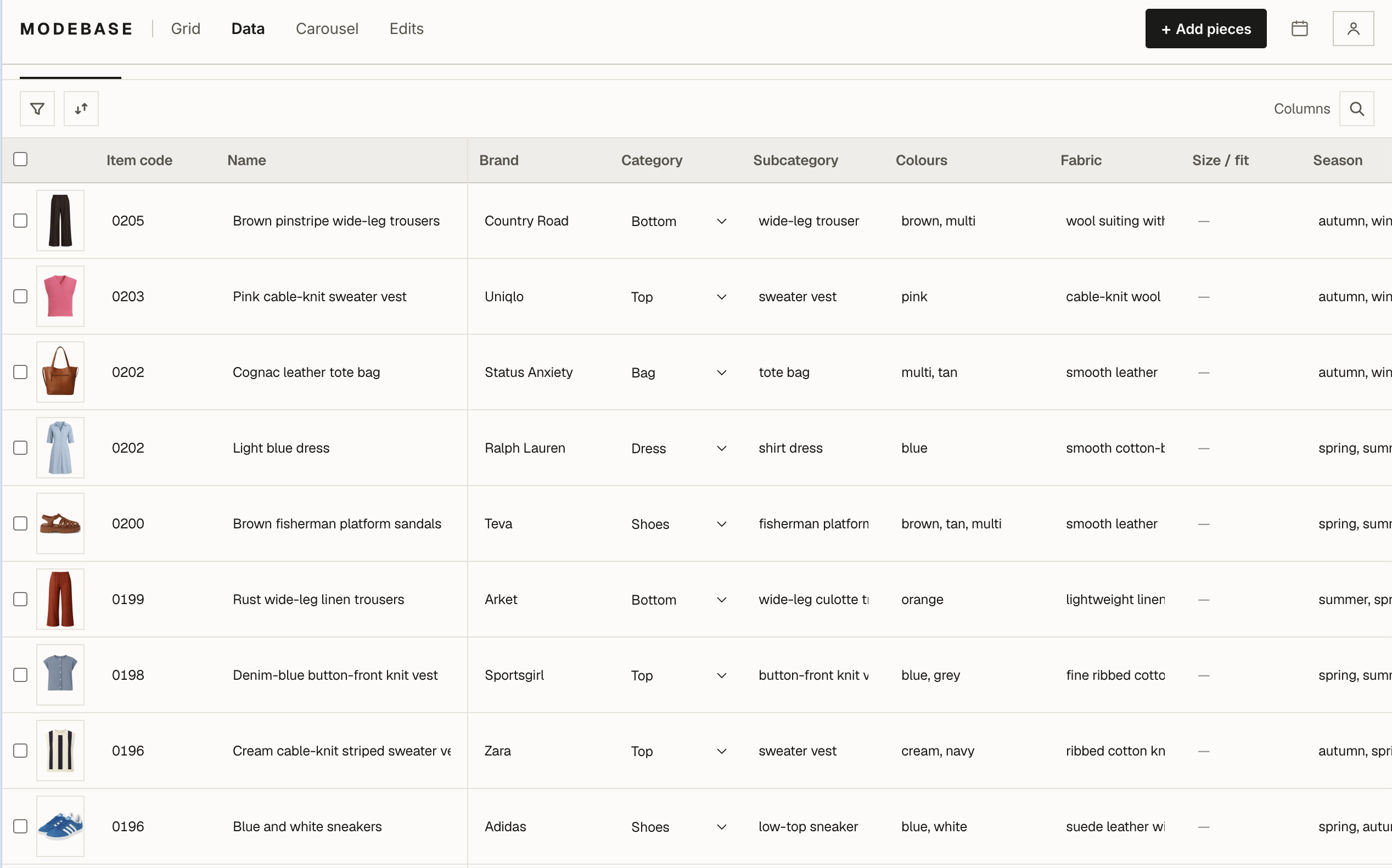
Getting your clothes in is not another six evenings. Photograph a pile on the bed or a full rail and the separate pieces are pulled out and described for you. No item codes to invent, no truncation tricks, no file to keep under a size limit.
And what you say is kept on the piece. The correction you make in a conversation is written onto the garment, so it is still there next year, which is precisely the thing that does not survive a migration.
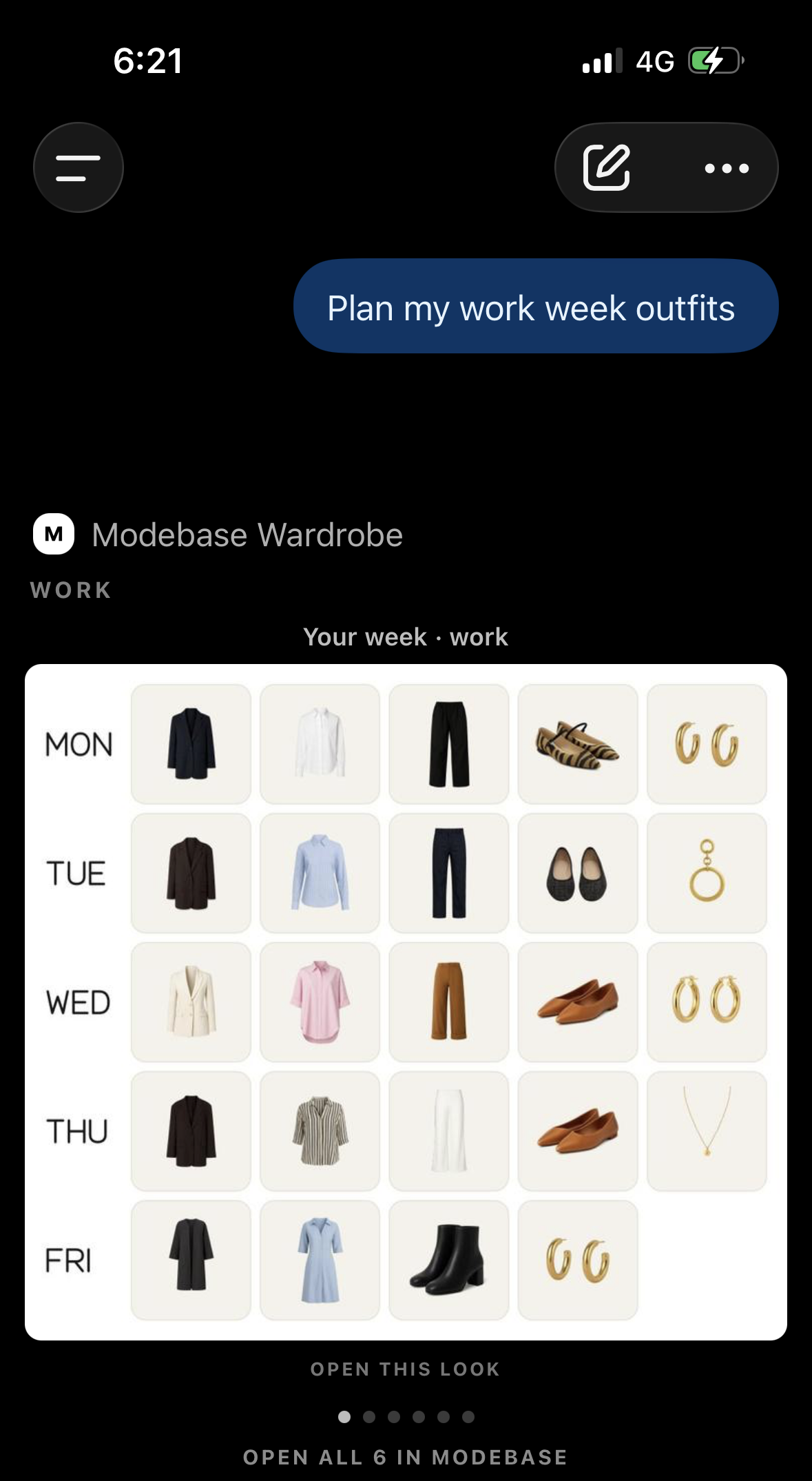
Worth being straight about one detail, since it is relevant this week: Modebase is a ChatGPT plugin (a connector, in Claude), built on the same MCP standard OpenAI names in its own migration notes. It is the layer they are pointing people toward, not the one they are retiring.
If you are rebuilding anyway, rebuild somewhere the next announcement cannot reach. Here is how the whole thing works, and it is free to try.
Frequently asked questions
When exactly are custom GPTs being retired?
Custom GPTs are scheduled to stop running on 11 December 2026. Nothing has gone yet and existing GPTs keep working until then. Creating new ones has already stopped on personal accounts, Free, Go, Plus and Pro, and continues only in Business, Enterprise and Edu workspaces until 26 October 2026 in affected ones. Timelines differ by plan and workspace, so the notice on your own account is the one to follow.
Will I lose my wardrobe list when my GPT is retired?
If you built the GPT and migrate it, the uploaded knowledge files are copied into the replacement plugin's reference files. If you used someone else's GPT, you have no migration right and no guaranteed access to its replacement. Either way, download your inventory file now. It is the only part that cannot be recreated by anybody else.
Do my conversations with my stylist GPT come across?
No. Migration does not move conversations. Anything you taught it by correcting it in chat, rather than by editing the instructions, does not travel. You can still export every conversation (Settings, then Data controls, then Export data), but the more useful move is to ask the GPT, while it still runs, to write out everything it has learned about your style, every rule and correction, as one list, and save that.
What happens if I only use a GPT somebody else made?
You cannot migrate it, because permission to use a GPT is not permission to move it. Check the notice on the GPT and any word from its creator, and do not assume access to the original means access to the replacement.
Is there a way to style from my own clothes that will not be retired?
Keep the wardrobe outside the assistant. With a Modebase wardrobe, your clothes sit in a record you own and export, and ChatGPT or Claude reads from it, so a change to one product does not take your catalogue with it.