Use your wardrobe in Gemini and other assistants
Modebase is built and tested with ChatGPT and Claude. Any other assistant that supports custom connectors can use the same connector address, though we have not tried each one ourselves.
What can you do with Modebase in Gemini and other assistants?
An assistant is good at applying what it is given, and it has never been given your clothes. Connecting Modebase fixes that, so you can:
- Styling from clothes you own. Ask what to wear and the assistant builds the outfit from specific pieces in your wardrobe.
- Giving the assistant the context it is missing. Your pieces, their colour, cut, fabric and formality, and your notes on them are handed over when you ask.
- Keeping your wardrobe in one place. Your clothes live in Modebase, not in any one chat, so you can use a different assistant tomorrow and the wardrobe is still there.
Prompt examples
Once it is connected, ask in your own words, or start from one of these.
Ask how to connect
I want to connect Modebase, my digital wardrobe, as a custom MCP connector at https://www.modebase.co/api/mcp. If you support custom connectors, give me the numbered steps to add it, five at most, one short line each. If you cannot connect, say so in one sentence.
Dress for a work meeting
What should I wear to an important work meeting tomorrow? Build it from my wardrobe and show me the outfit.
Find what I never wear
What have I not worn in six months? Be blunt, and suggest one way to wear each of them.
How to get started
Check that your assistant supports custom connectors
Look in its settings for connectors, tools or MCP servers. Not every assistant, and not every plan, lets you add your own.
Add the connector address
Add a custom connector, name it Modebase Wardrobe, and paste this address: https://www.modebase.co/api/mcp
Sign in and approve
Sign in to your Modebase account, or create one for free, and approve read and write so it can save your wears and looks.
Add your clothes in the catalogue
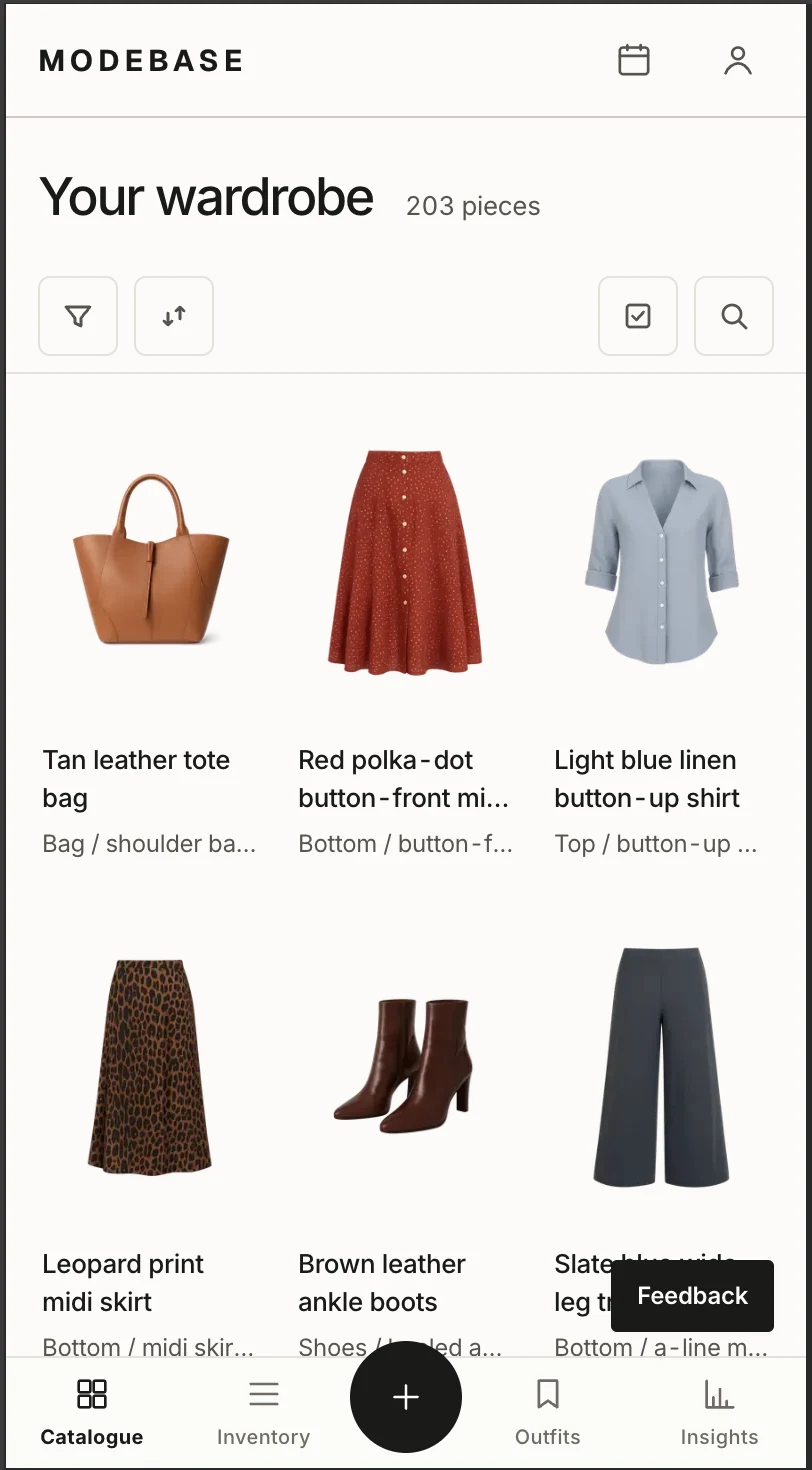
Upload photos of your clothes in the catalogue on the Modebase site. Each piece is read for you and added to your wardrobe. Photos are added there, not in the chat.
Ask what to wear
Start a chat and ask. If nothing happens, try the first prompt above, which asks the assistant to walk you through the setup.
What do you need to use it?
- An assistant that supports custom MCP connectors. If yours does not, use ChatGPT or Claude instead.
- A Modebase account. It is free to try, with no card.
- Clothes added in the catalogue. The more pieces it holds, the better the advice.
- Setup steps differ by assistant, and we have only tested ChatGPT and Claude, so expect to work a little of it out yourself.
Questions
Does it work with Gemini?
We have not tested Gemini. If it lets you add a custom connector by address, the connector address on this page is what you would use. If it does not, it will not work yet.
Which assistants have you tested?
ChatGPT and Claude. Both have their own pages with step by step setup.
What can the assistant see?
Only when you ask, it sees the images, names, brands, categories and colours of your pieces, plus the notes you have saved. It never sees your payment details or your Modebase conversations.
How do I disconnect?
Remove the connector in your assistant, or revoke it from Connected assistants in your Modebase profile. Access stops immediately.