Bring your wardrobe into ChatGPT
Add Modebase to ChatGPT and it can see the clothes you own, so every answer is built from your own wardrobe and not from the wardrobe of a stranger.
What can you do with Modebase in ChatGPT?
ChatGPT is good at applying what it is given, and it has never been given your clothes. Connecting Modebase fixes that, so you can:
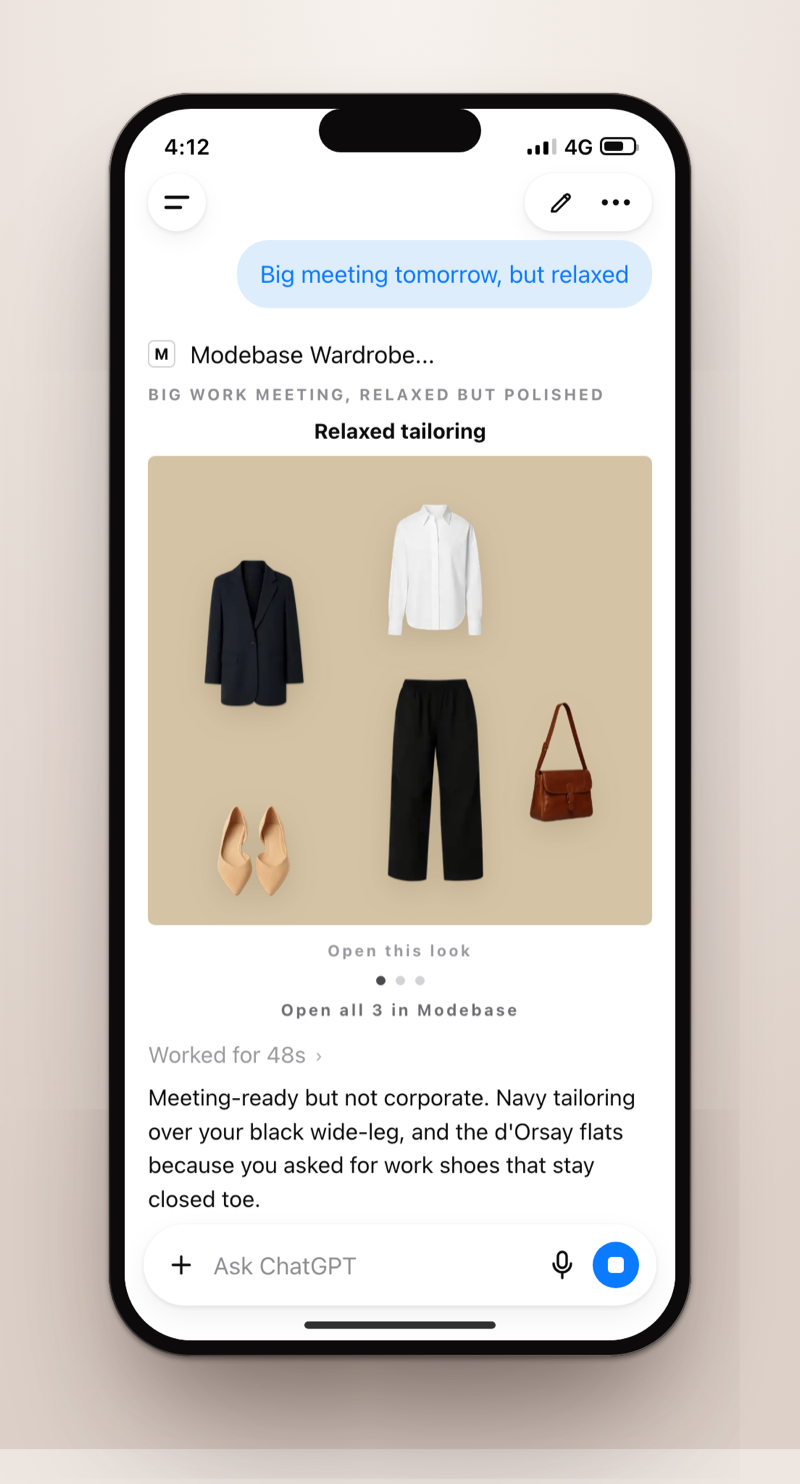
- Styling from clothes you own. Ask what to wear and ChatGPT builds the outfit from specific pieces in your wardrobe, then shows it as a picture, not a paragraph.
- Giving ChatGPT the context it is missing. Your pieces, their colour, cut, fabric and formality, your notes on them and your style profile are handed over when you ask, so you never describe your clothes again.
- Keeping track as you go. Log what you wore, save looks you like, and tell it what you rejected. It remembers on the pieces themselves, so Tuesday is not a repeat of Monday.
Prompt examples
Once it is connected, ask in your own words, or start from one of these.
Dress for a work meeting
What should I wear to an important work meeting tomorrow? Build it from my wardrobe and show me the outfit.
Find what I never wear
What have I not worn in six months? Be blunt, and suggest one way to wear each of them.
Pack a trip
Pack a five day trip from the clothes I own. Keep it to a small capsule and show me the pieces.
How to get started
Open Plugins in ChatGPT
On the web or in the phone app, open Settings, then Plugins.
Add Modebase
Search for Modebase and add it. It is a listed plugin, so any plan can add it, including Free.
Sign in and allow actions
Sign in to your Modebase account, or create one for free, and allow actions so ChatGPT can save your wears and looks.
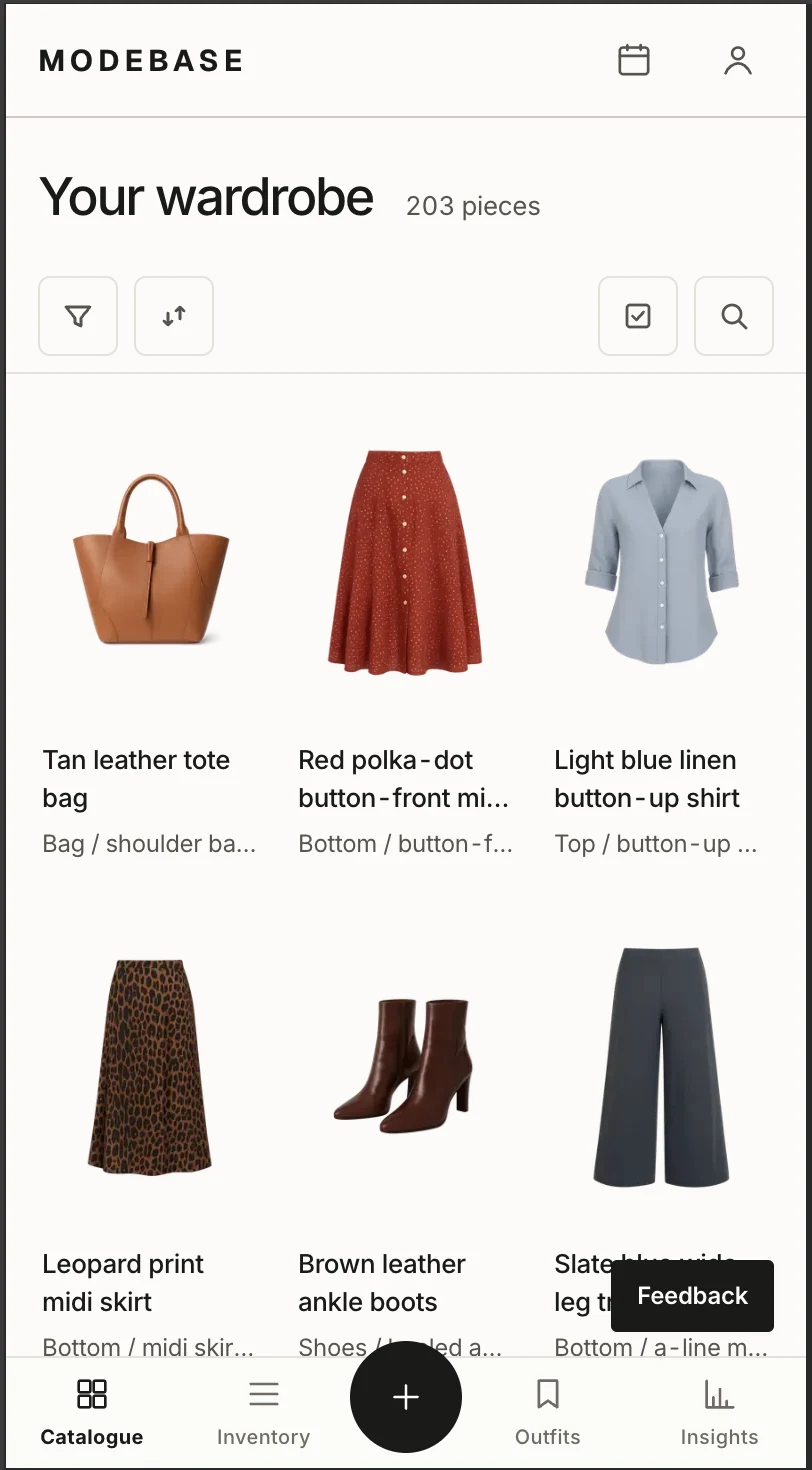
Add your clothes in the catalogue
Upload photos of your clothes in the catalogue on the Modebase site. Each piece is read for you and added to your wardrobe. Photos are added there, not in the chat.
Ask ChatGPT what to wear
Start a chat and ask. It answers from the pieces you own and shows the look back to you.
What do you need to use it?
- A ChatGPT account on any plan, including Free, on the web or in the phone app.
- A Modebase account. It is free to try, with no card.
- Clothes added in the catalogue. The more pieces it holds, the better the advice. Around sixty is when it gets good.
- A personal ChatGPT account works best. Work, Team and Enterprise workspaces often block plugins, so it connects but the wardrobe tools do not respond.
Questions
Does Modebase cost anything to connect?
No. Connecting is free on every ChatGPT plan. Modebase is free to try with no card, and memberships only matter once your wardrobe outgrows the free allowance. The pricing page has the details.
What can ChatGPT see?
Only when you ask, it sees the images, names, brands, categories and colours of your pieces, plus the notes you have saved. It never sees your payment details or your Modebase conversations.
Can I add clothes by sending photos in the chat?
No. Photos are uploaded in the catalogue on the Modebase site. Once a piece is there, ChatGPT can use it straight away.
How do I disconnect?
Remove Modebase from Settings, then Plugins in ChatGPT, or revoke it from Connected assistants in your Modebase profile. Access stops immediately.
I cannot find Modebase in Plugins.
Update ChatGPT to the latest version and search for Modebase again. If your workspace belongs to an employer or school, an admin may have turned plugins off, and a personal account will work.