Started a wardrobe in ChatGPT and not getting the results you want?
If you have built your wardrobe inside a ChatGPT Project, this guide is for you. Having ChatGPT work out your colours, give you a style profile and suggest some outfits is pretty great at first. Then the walls start to show - no picture of your pieces, repeating the same recently added items and forgetting the notes that you gave it. The good news is that there is a simple fix.
You can add a wardrobe database that ChatGPT can see - it keeps every piece of your wardrobe, each with its own picture, in one place, so ChatGPT can work from your real clothes whenever you ask for an outfit. Modebase is a wardrobe database that you can use with ChatGPT. It creates beautiful cut outs, and does an in depth vision data read of each piece and keeps all the items in a structured format that ChatGPT (and other AI) can talk to and use for much better answers.
In a ChatGPT project
With Modebase connected
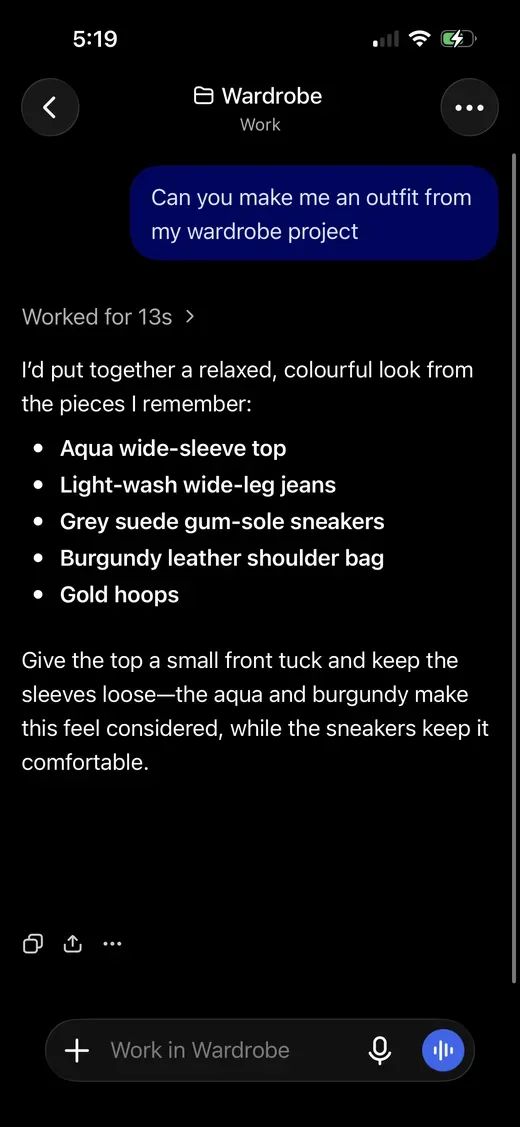
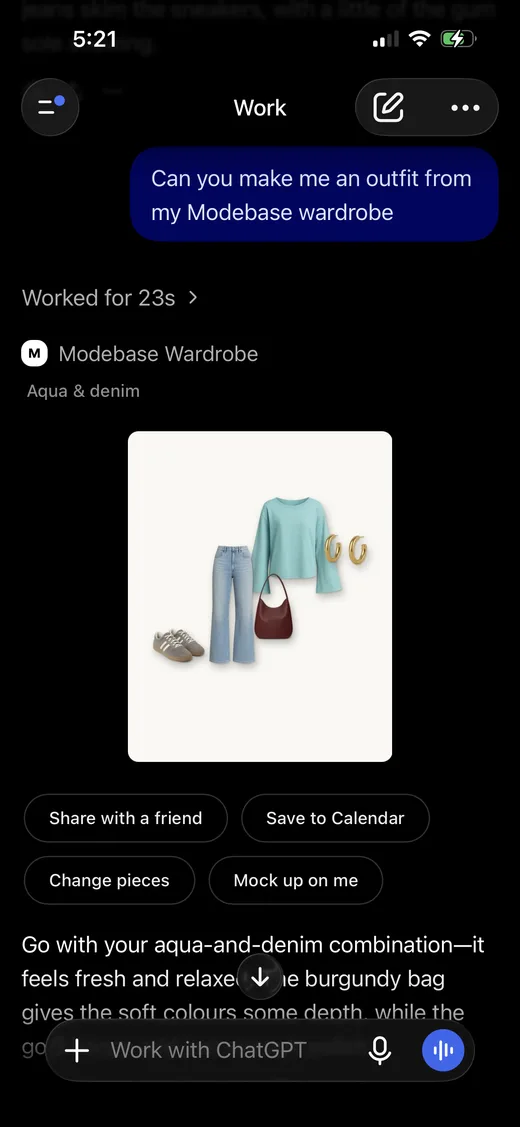
If you have tried setting up a digital wardrobe in ChatGPT and felt a little frustrated or disappointed, maybe give Modebase a try. The good news is that you do not have to start from scratch.
You can ask ChatGPT for an export of everything you have in your wardrobe project (we have written a prompt for this, so it is super easy), and drop the files straight into Modebase. None of your work is lost, and you get what a chat cannot give you:
- See the actual images, not text. Pieces and outfits come back as pictures of your own clothes, so you can see the look instead of reading a list.
- Every piece, every time. Each piece is kept on its own, with its own picture, so ChatGPT uses all of your items, not just the same 20 repeated.
- Yours to keep. Your wardrobe lives in Modebase, not inside one chat. If you change your AI or app, it comes with you, it works with Claude too, and you can download it as a spreadsheet.
- Answers from your actual wardrobe. Answers come from the pieces you own, so nothing is made up.
- Notes on each item. Say once that you should not wear those heels with that dress, and the note stays on the piece.
- Nothing to paste again. Your wardrobe stays in Modebase, so you never put the list back into a chat.
A Project is great, and you were right to build one. Modebase is the next step up, and you keep asking in the same ChatGPT chat.
Not only pictures in ChatGPT: you can do so much more too
Modebase shows the actual images of your clothes in ChatGPT, and that is just the start. Once your wardrobe is in, you can do all of this as well.
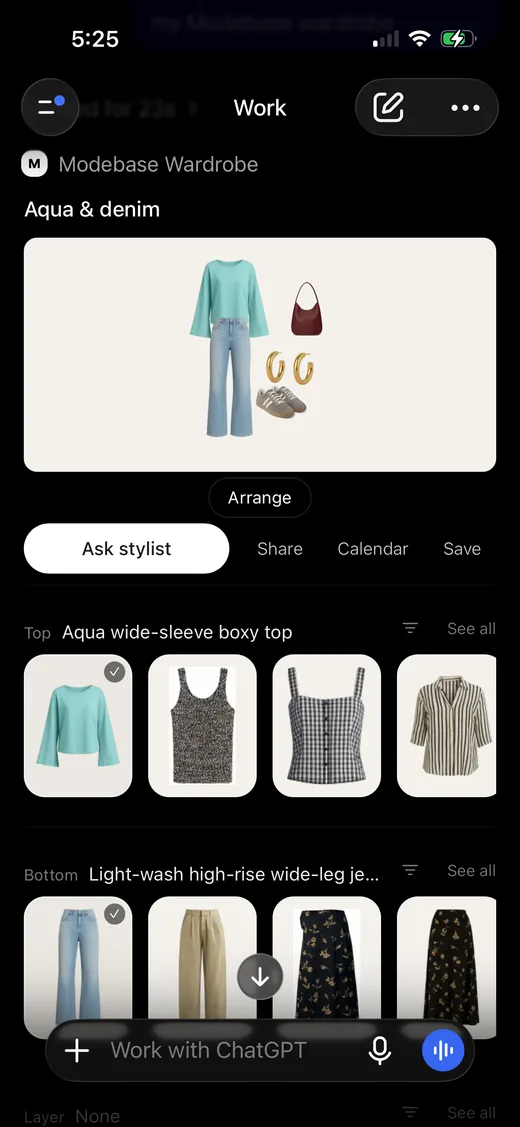
Build an outfit, like a clueless closet
Open the outfit builder to see your look and swap any piece for another from your wardrobe, one category at a time.
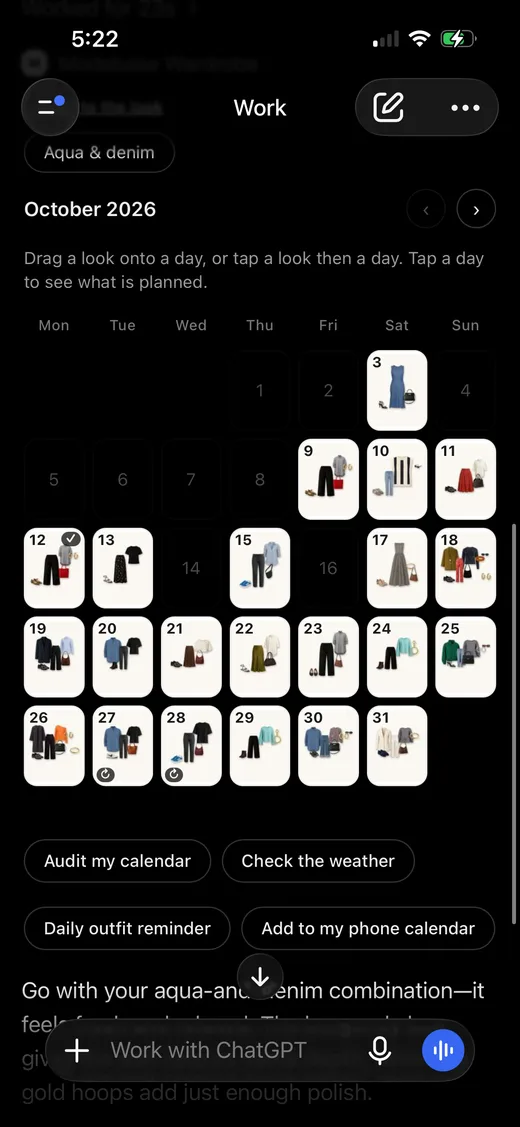
Save it to your calendar
Think of it as a meal plan for outfits, an idea we borrowed from Stefani Stewart. Drag a look onto a day to plan your month, then sync it to your everyday calendar so it is there when you get dressed.
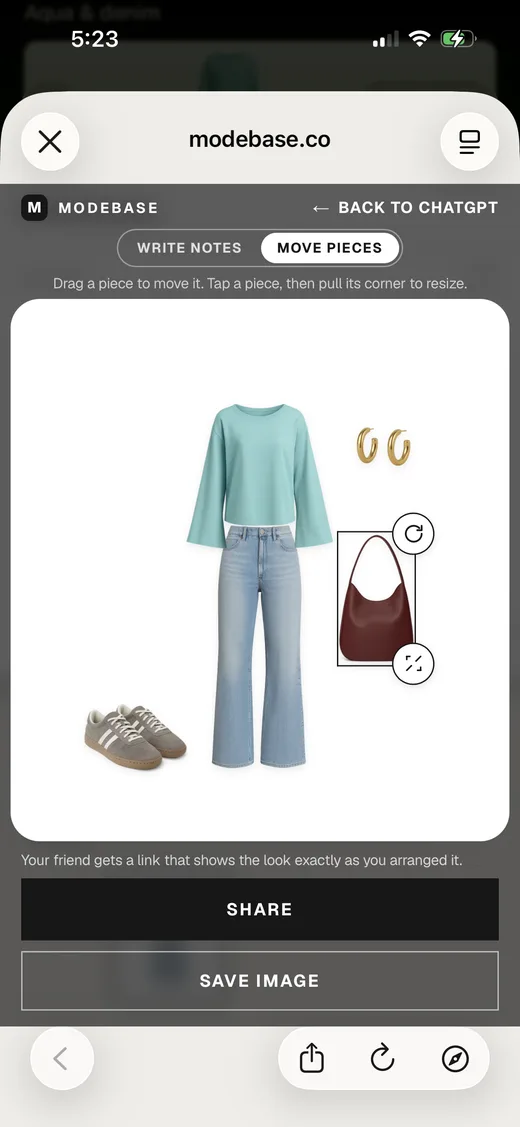
Play with the flat lay
Move each piece around and resize it until the look is arranged the way you like.
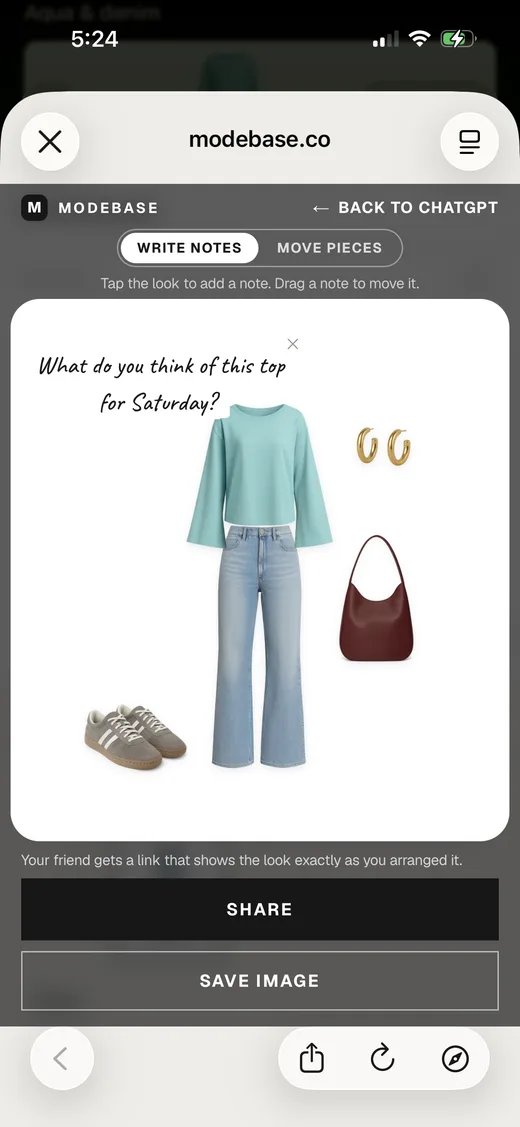
Write notes and share with a friend
Add a handwritten note to the look, then share it. Your friend gets a link that shows the look exactly as you arranged it.
How to bring it in
1. Ask ChatGPT for your wardrobe
- Copy the message below.
- Paste it into your wardrobe project in ChatGPT and send it.
- ChatGPT gives you two files to download: one with pictures of your clothes, and one with the list.
List every clothing piece, shoe, bag and accessory I have shown you in this project, one row per piece.
Give it to me as a table with these columns: Item code, Name, Category, Colour, Brand, Fabric, Notes, Photo file.
Item code is a short ID such as W001. Photo file is the original file name of the photo the piece is in, for example IMG_1286.PNG.
For a photo of a full outfit, add one row for each piece that is visible, and repeat the same Photo file on each row.
Leave a cell empty when you do not know. Do not guess brands, sizes or fabrics.
Then make one zip file with two folders and give me a download link. In a folder called Pieces, put a clean product image of each piece on its own on a plain white background, named by its Item code, for example W009.png. Use the photo the piece is in as the reference and keep its colour, print, shape and details true to the photo. Do not redesign or improve the garment. In a folder called Original_Photos, put the original photos with their original file names. Also put the table in the zip as a CSV file and a Markdown file, and give me the Markdown file as a separate download too.
Rather not paste your wardrobe by hand? Connect a Modebase wardrobe to ChatGPT or Claude and the wardrobe section fills itself. Set up the connector.
2. Check it
- Look through the list. Is everything you own there?
- Look at the pictures. Do they look like your clothes?
- If something is missing or wrong, tell ChatGPT and it will fix it.
3. Bring it into Modebase
- Save both files to your phone or computer.
- On the Modebase website, click Add pieces, then More ways to add, then Bring it from ChatGPT.
- Drop both files in.
- Modebase builds your wardrobe for you, with every piece and its picture.
- Each piece also gets a full read of its details from the picture, so your AI has notes to draw on when it styles your outfits.
- If a piece has no picture, it is still added, and you can add a picture later.
4. Go back to ChatGPT
- Once Modebase is connected to ChatGPT, ask what to wear on Thursday.
- You get an answer you can look at, made from your own clothes.
Want to add something new to your wardrobe later? Post an image in ChatGPT, either of the item or of you wearing the clothes, and ask ChatGPT to send it to your wardrobe.
Good to know
Pictures can go in through ChatGPT or on the Modebase website.
It is free to try, with no card. For more, read how to upload your wardrobe to ChatGPT and what four writers found when they tried it.
Frequently asked questions
What can I ask ChatGPT about my wardrobe?
Almost anything: what you own in a colour, what to pack for a trip, what to wear on Thursday, which pieces you have not worn in a year. A project remembers your instructions, and the answers get better still when ChatGPT can see your actual clothes, which is what a connected wardrobe adds.
How do I get more out of my ChatGPT wardrobe project?
Keep your instructions in the project, and give ChatGPT a wardrobe it can read: every piece kept on its own with a picture. Connecting Modebase does that, so you still ask in the same chat and the answers use your own clothes.
How do I get my wardrobe out of ChatGPT?
Copy the message in this guide and send it in your project. ChatGPT gives you two files to download. Check them, save both, and drop them into Bring it from ChatGPT on the Modebase website.
Can I send photos of my clothes to Modebase from ChatGPT?
Yes. Post an image in ChatGPT, either of the item or of you wearing the clothes, and ask ChatGPT to send it to your wardrobe. You can also add pictures on the Modebase website. Once your pieces are in, ChatGPT can see them and show them to you.
Do I have to start again from nothing?
No. The list ChatGPT gives you is brought straight in, along with your pictures.
Will ChatGPT show me pictures of my clothes?
With a connected wardrobe, yes. Pieces and outfits come back as pictures of your own clothes.