How to connect your wardrobe to ChatGPT
ChatGPT can hold information about your wardrobe in three built-in ways: its memory, custom instructions, and a spreadsheet kept in a Project. Each one keeps what you tell ChatGPT about your clothes, so you do not have to repeat it in every chat. If those turn out unreliable or too much upkeep, or you want the same wardrobe in other assistants, you can use a plugin called Modebase Wardrobe, which does the remembering for you: it stores your pieces with their photos, keeps your notes and what you have worn, and ChatGPT looks it up whenever you ask. This page covers what each option does and does not do, and the setup for connecting.
How to get ChatGPT to remember your wardrobe, on its own
There are four built-in pieces, and they do different jobs. Memory holds your taste, custom instructions hold your rules, a Project holds the clothes themselves, and photos are how you turn the clothes into words. Here is how to set each one up.
1. Memory, for your taste
OpenAI describes memory as a way to carry stable preferences and recurring context from earlier chats into future ones, so you stop repeating yourself. You can see what ChatGPT holds, or turn memory off, in Settings, then Personalization.
Tell it the things that do not change, in plain sentences, and ask it to remember them:
Remember that I avoid anything with a halter neck, that I run warm so I rarely wear wool before November, and that I dress down on Fridays.
Memory suits taste and habits. It only knows what you have mentioned, so it is not the place to keep a list of everything you own.
2. Custom instructions, for your rules
Custom instructions are preferences you want ChatGPT to follow across chats. They are the right place for the rule that matters most when you ask for outfits:
When I ask what to wear, only suggest pieces from the wardrobe list I have given you. If nothing fits, say so instead of suggesting something I do not own.
You set them in Settings, then Personalization. Keep them short, so you can see at a glance what ChatGPT has been told.
3. A Project with a spreadsheet, for the clothes themselves
This is the option that actually holds your wardrobe. A Project keeps related chats, files and instructions together, and a chat started from the project can use its files and its instructions.
- Make a spreadsheet with one row per piece. Describe each piece in words ChatGPT can match against, not just its name.
- Create a Project and add the spreadsheet to its sources. OpenAI notes that a ChatGPT project does not reach into folders on your computer, so you upload the file.
- Put your rule in the project instructions. For example: answer only from the spreadsheet.
- Start new chats from inside the project. Each one has the same list to work from.
A few rows might look like this:
item,colour,category,formality,notes
Silk shirt,ivory,top,dressy,works for the office or dinner or a wedding
Black ankle boots,black,shoes,smart casual,block heel and comfortable all day
Navy blazer,navy,jacket,smart,oversized and the sleeves are slightly long
How you describe each piece matters more than anything else on this list. "Silk shirt, ivory, dressy, works for the office, dinner or a wedding" gives ChatGPT something to find when you ask about a wedding. "Ivory shirt" mostly does not. Keep the sheet tight, and for an important question, paste the relevant rows into the chat as well. A file saved in your Library can also be reused in any chat.
4. Photos, for getting the clothes into words
Uploading a photo of every piece does not scale well, because there are limits on how many files a chat can take and a wardrobe is a lot of files. A better use of a photo is to turn it into a row. Upload a photo of a piece you find hard to describe and ask:
Describe this garment as one spreadsheet row: item, colour, category, formality, and what it works for.
Paste the result into your sheet. Photos are good for building the sheet, and the sheet is what ChatGPT works from. If you would rather build the whole thing by hand from photos, how to make a digital wardrobe with ChatGPT walks through it.
Keeping it current
All four only know what you have told them. When you buy or give away a piece, edit the sheet, and tell memory about anything that changes your taste. It helps to update the sheet when a new piece arrives, not once a season. The next section covers where this approach tends to wear thin.
If you try that and get frustrated
Most people who give up on the chat way hit one of three things.
It is not reliable. ChatGPT's memory carries context forward from earlier chats, so it only knows what you have mentioned. OpenAI's own guidance is to treat memory as a recall aid, not the only source for anything that must always apply. With a long spreadsheet, ChatGPT may search for the relevant rows instead of reading every one, so a piece that would have worked, like the ivory shirt for a wedding, can be missed.
It is too much effort. Someone has to describe every piece, keep the file current, and fix it when it drifts. Nothing you learn in a chat, like a wear, an outfit you liked or a note that the shoes rub, is written back to it. Most of these systems die at the upkeep, not at the setup.
You want one inventory across assistants. A file in a ChatGPT Project, and what ChatGPT has remembered, live inside ChatGPT. Use Claude, or another assistant, and you start again.
If that sounds familiar, Modebase is one option. It builds your wardrobe inventory and connects to ChatGPT, so ChatGPT looks your clothes up each time you ask instead of trying to remember them, writes back as you go, and works the same way in Claude. It is free to try with no card. If none of those three is a problem for you, you probably do not need it.
If you want to try it, the rest of this page is the setup, step by step.
What you need first
- Any ChatGPT plan, including Free. Add it from the Plugins tab, on the web or in the phone app.
- A wardrobe to connect. Modebase is free to try with no card, so you can do this before deciding whether you like it.
If you are on Claude instead, it is the same idea. In Claude you add Modebase as a custom connector by URL, and custom connectors need a paid Claude plan.
The steps
- In ChatGPT, open the Plugins tab, from the sidebar or from Settings.
- Search for Modebase and install it.
- Sign in, then review and approve the permissions it asks for, including actions. Approving actions is what lets it save an outfit, log a wear or add a piece, which is half the point. It confirms before it saves anything, and you can pick "Always allow" so it stops asking every time.
That is it. Open a new chat and ask what to wear tomorrow. Plugins work in both Chat and Work, on the web, desktop and mobile.
What Modebase does once it is connected
You keep using ChatGPT the way you already do. When a question needs your clothes, ChatGPT asks Modebase for them, and Modebase handles the rest.
It builds your wardrobe inventory
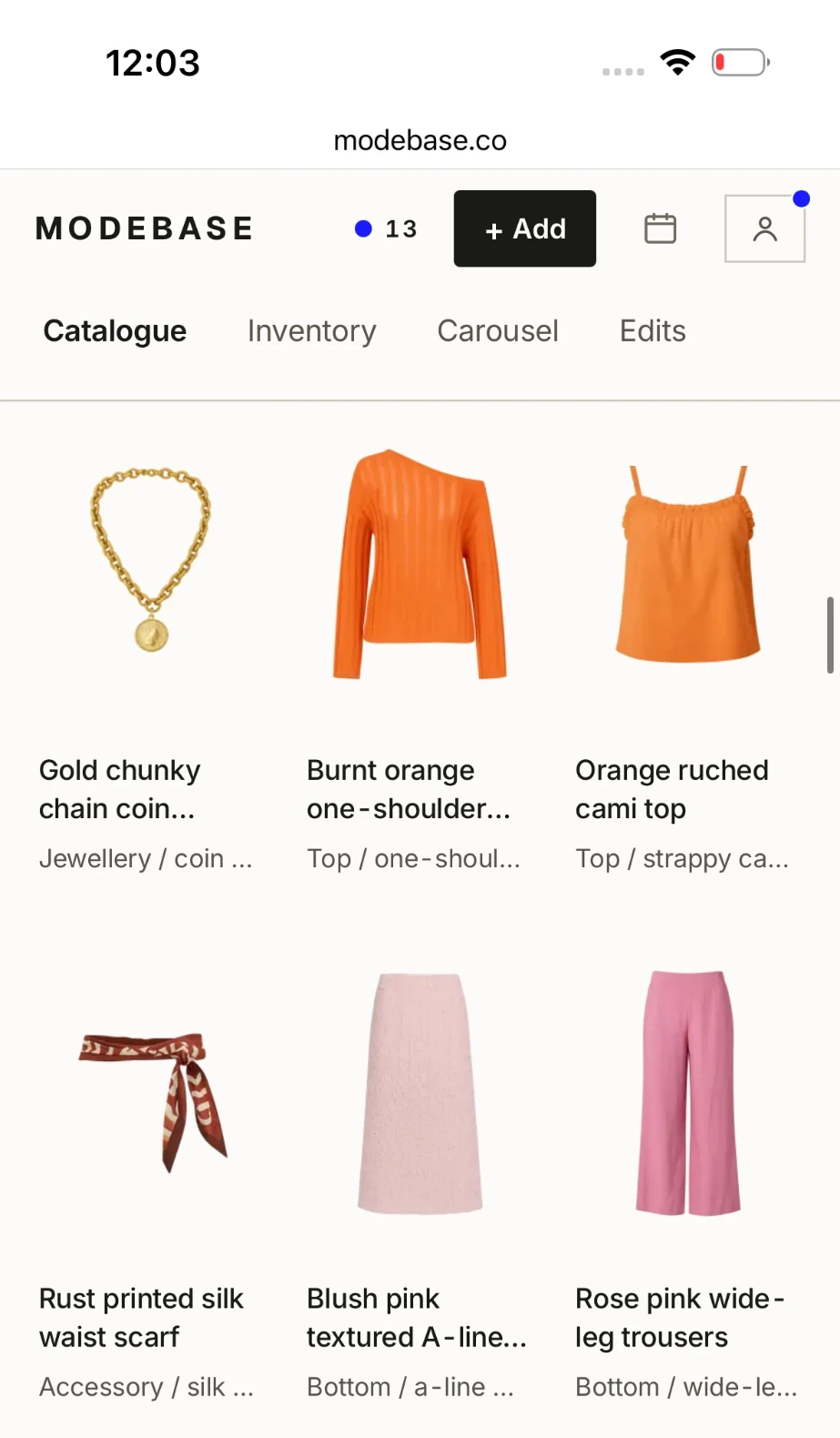
You add clothes in Modebase. When you ask ChatGPT to add some, it gives you a link, you upload an outfit photo there, and you head back to the chat. The photo is analysed by vision detection, which finds each garment and accessory in it, then names and categorises it, so one photo becomes several pieces in your wardrobe. You can correct any of them afterwards.
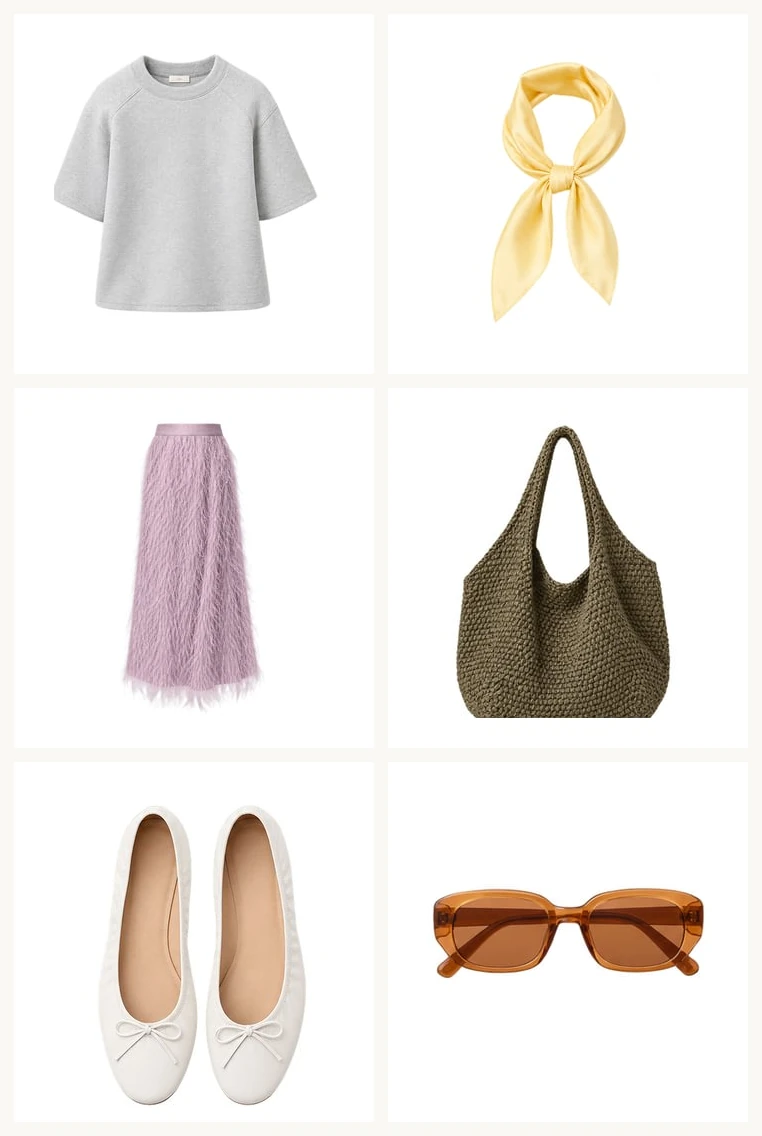
It recreates outfits you love
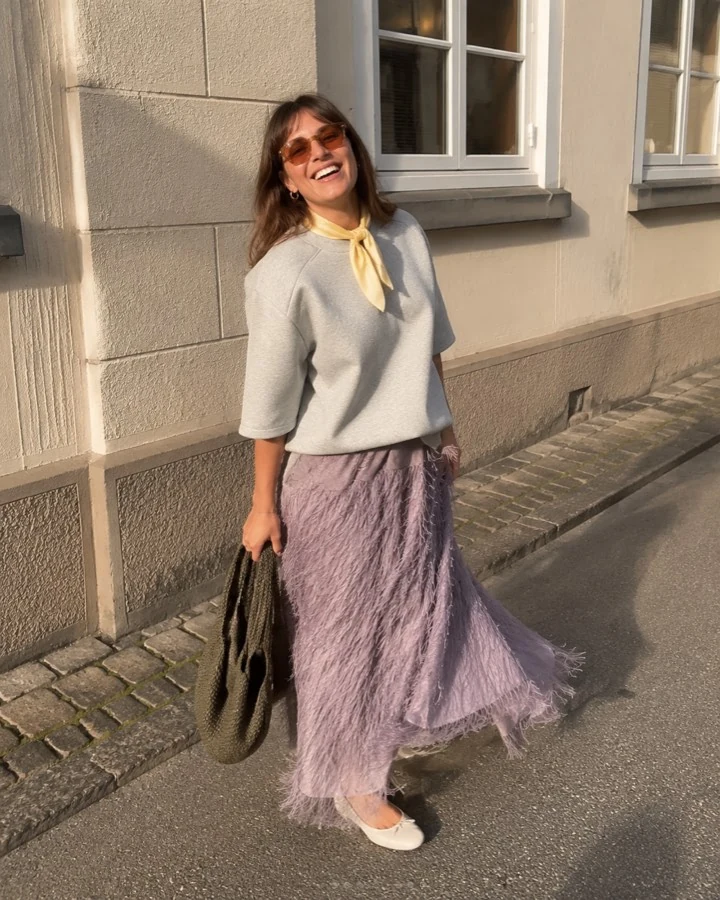
Upload a photo of an outfit you love, and Modebase can find items in your wardrobe that could work to recreate it.
It answers from what you own
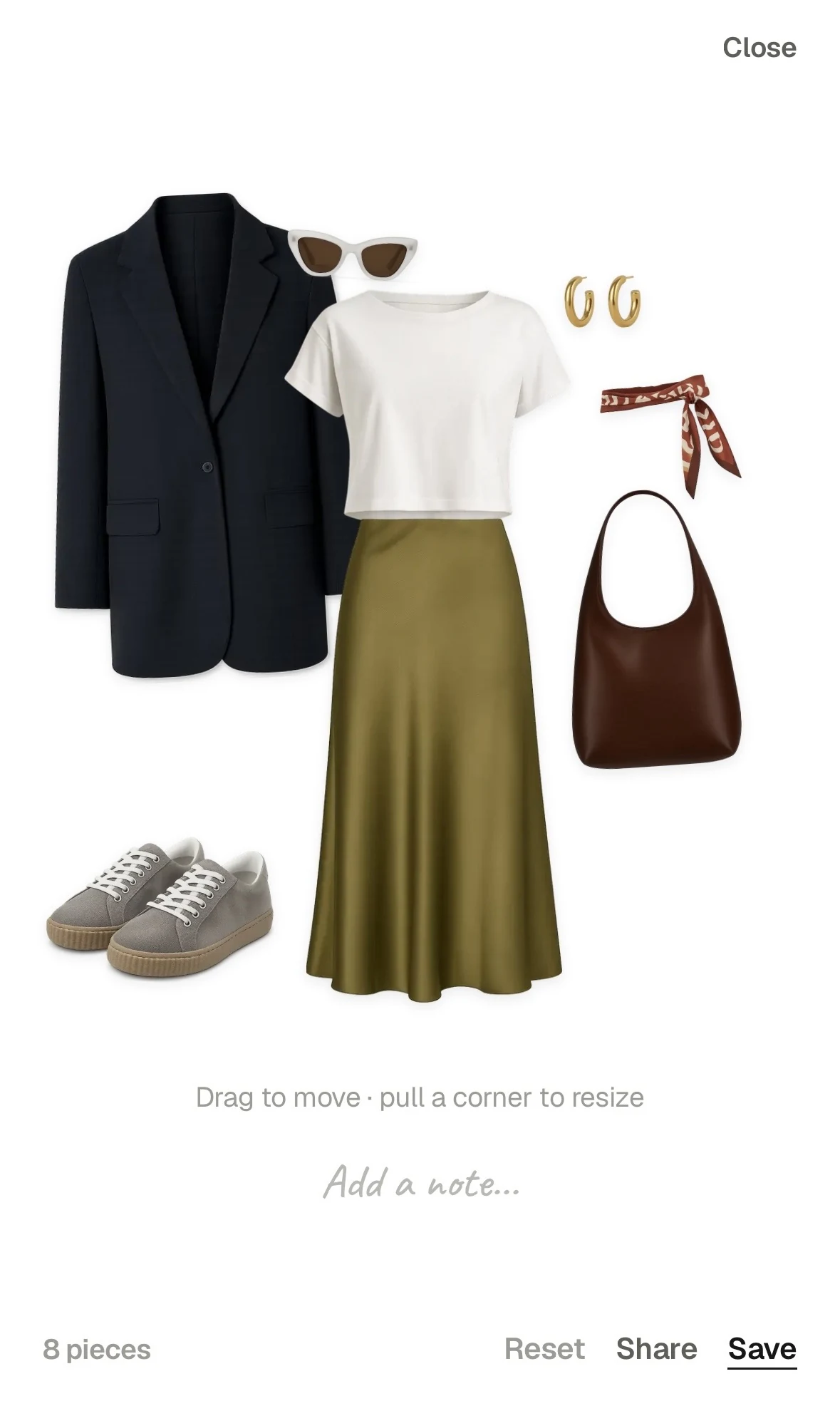
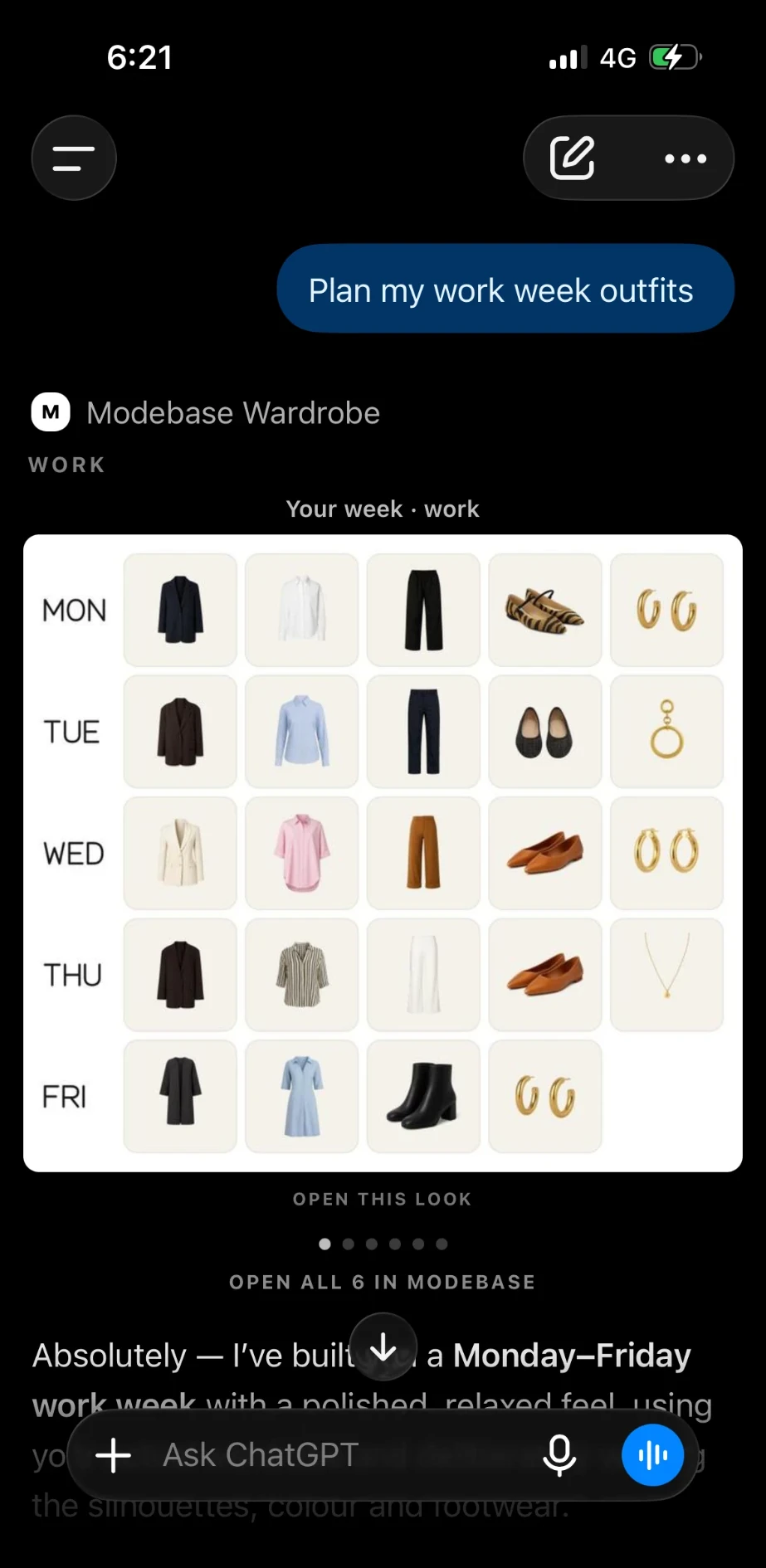
Ask for your navy skirts and you get your navy skirts, with their photographs. Ask what to wear to a wedding and the answer is built from pieces in your cupboard, shown as a picture of your real clothes laid out together. Ask for a whole week and the whole week comes back at once. It shows you the week first, and puts it on your calendar only if you ask.
It checks before you buy
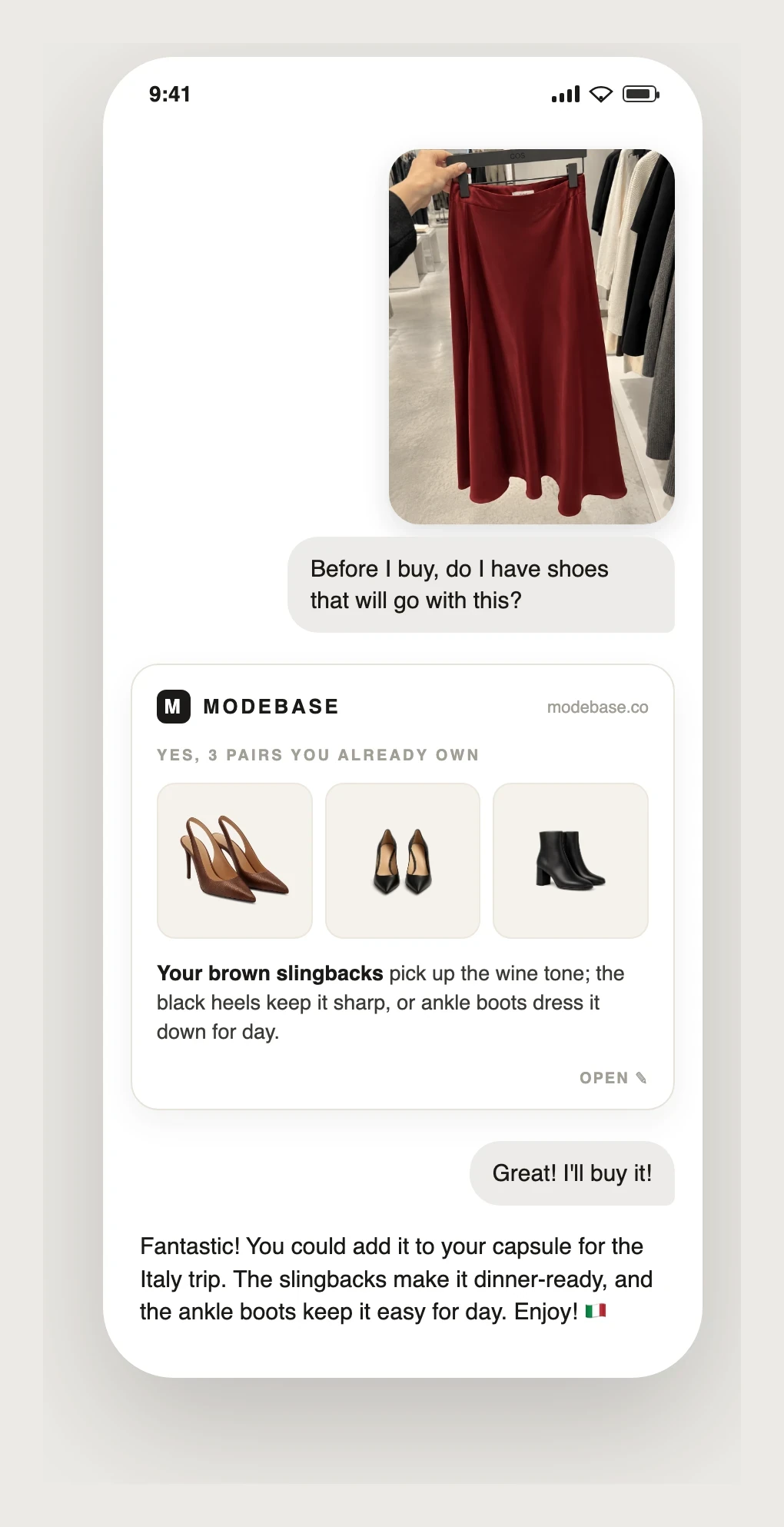
Send a photo of something you are thinking of buying and ask whether you need it, or whether you have shoes that would go with it. It shows you what you already own that is similar, or the pairs that would work.
It remembers as you go
Tell it you wore something and the wear is logged. Tell it the shoes rub, or that you never want to see a pair of trousers again, and that is saved onto the piece itself, so it applies in every later chat instead of sitting in one conversation. Nothing is deleted when you take a piece out of rotation, and it comes back when you say so.
It shows what is missing
Ask what your wardrobe is missing and it looks across what you own for the gaps, so the next purchase fills one.
It works across assistants
Because the wardrobe lives in Modebase and not in a chat, the same wardrobe works in Claude, where you add Modebase as a custom connector. Custom connectors need a paid Claude plan.
Frequently asked questions
How do I get ChatGPT to remember my wardrobe?
ChatGPT has four built-in options: memory for your taste, custom instructions for your rules, a spreadsheet of your clothes in a Project, and photos you turn into spreadsheet rows. If those turn out unreliable or too much upkeep, or you want the same wardrobe in other assistants, you can use a plugin called Modebase Wardrobe, which stores your pieces with their photos, keeps your notes and what you have worn, and lets ChatGPT look it up whenever you ask.
Will ChatGPT remember my wardrobe in a new chat?
Partly. ChatGPT's memory may carry some of what you told it into a new chat, but as a summary, so it will not reliably hold a full list of what you own. A connected wardrobe is read fresh each time, so a new chat starts with all of it available.
Can I use ChatGPT Library or a Project to keep my wardrobe?
Yes, if you set it up properly. Keep a tight spreadsheet with one well-described row per piece, add it to a Project's sources or save it in your Library so it carries into every chat, and tell ChatGPT to answer only from it. The cost is upkeep: you edit the file whenever your wardrobe changes, ChatGPT may search a long file rather than read all of it, and outfits, wears and notes from a chat are not written back.
What is the Modebase Wardrobe plugin?
It is a plugin that connects a wardrobe you keep in Modebase to ChatGPT. It builds your wardrobe inventory, answers from the pieces you own, logs what you wear, saves notes onto each piece, and can find items in your wardrobe to recreate an outfit you love from a photo.
How do I add my clothes to Modebase?
Ask ChatGPT to add some and it gives you a link to Modebase. Upload an outfit photo there and head back to the chat. Vision detection finds each garment and accessory in the photo, then names and categorises it, so one photo becomes several pieces. You can correct any of them afterwards.
How do I connect my wardrobe to ChatGPT?
In ChatGPT, open the Plugins tab, search for Modebase Wardrobe, and install it. Sign in and approve the permissions it asks for, including actions. It works on any ChatGPT plan, including Free, on the web or your phone.
Do I need ChatGPT Plus to connect a wardrobe?
No. Modebase is a listed ChatGPT plugin, so any plan can add it, including Free, on the web or the phone app. Once you approve actions it can both read your wardrobe and write back to it (log wears, save outfits, remember preferences).
Can I connect my wardrobe to Claude as well?
Yes. In Claude you add Modebase as a custom connector: Settings, then Connectors, then add the same server URL. It needs a paid Claude plan.
Is it free to connect a wardrobe to ChatGPT?
Yes. Modebase is free to try with no card, and any ChatGPT plan, including Free, can add the plugin.